
Choosing the Perfect Signal Booster for You: Best Signal Booster Tips
- Dec 31, 2025
- 4 min read
In today’s connected world, having a strong and reliable signal is essential. Whether you’re at home, in the office, or on the road, a weak signal can disrupt your calls, slow down your internet, and cause frustration. Signal boosters are a practical solution to improve your cellular reception and enhance your overall connectivity experience. But with so many options available, how do you choose the perfect signal booster for your needs? This guide will walk you through the key factors to consider and provide best signal booster tips to help you make an informed decision.
Understanding Signal Boosters and Their Benefits: Best Signal Booster Tips
Signal boosters, also known as cell phone signal amplifiers or repeaters, work by capturing weak cellular signals from outside your building or vehicle, amplifying them, and rebroadcasting the stronger signal inside. This process can significantly improve voice call quality, reduce dropped calls, and increase data speeds.
Here are some benefits of using a signal booster:
Improved call clarity: Clearer voice calls with fewer interruptions.
Faster data speeds: Enhanced internet browsing, streaming, and downloads.
Extended battery life: Phones use less power when the signal is strong.
Coverage in dead zones: Access to cellular service in areas with poor reception.
When choosing a signal booster, it’s important to understand the type of signal you want to improve (voice, data, or both) and the environment where you will use it (home, office, vehicle).

Key Factors to Consider When Choosing a Signal Booster
Selecting the right signal booster depends on several factors. Here are the most important ones to keep in mind:
1. Coverage Area
Determine the size of the area you want to cover. Signal boosters come with different coverage capacities, ranging from small rooms to entire buildings. For example:
Small boosters: Cover up to 1,500 square feet, ideal for single rooms or small offices.
Medium boosters: Cover 2,000 to 5,000 square feet, suitable for larger homes or small commercial spaces.
Large boosters: Cover over 5,000 square feet, perfect for big homes, warehouses, or multi-floor offices.
2. Carrier Compatibility
Make sure the booster supports your cellular carrier and the frequency bands they use. Most boosters are designed to work with multiple carriers, but it’s essential to verify this before purchasing. Check the product specifications or consult with the seller.
3. Signal Strength Outside
The booster needs a minimum level of outside signal to amplify. If the outside signal is extremely weak or non-existent, even the best booster won’t work effectively. You can check your signal strength using your phone or a signal meter.
4. Installation Type
Consider where and how you want to install the booster:
Home or office boosters: Usually require an external antenna mounted outside and an internal antenna inside.
Vehicle boosters: Designed for cars, trucks, or RVs, often with magnetic antennas and plug-and-play installation.
5. Budget
Signal boosters vary widely in price. While it’s tempting to go for the cheapest option, investing in a quality booster ensures better performance and durability.
How to Install and Optimize Your Signal Booster
Proper installation is crucial to get the best performance from your signal booster. Here are some practical steps and tips:
Find the strongest outside signal: Use your phone to walk around your property and identify where the signal is strongest. This is where you should place the external antenna.
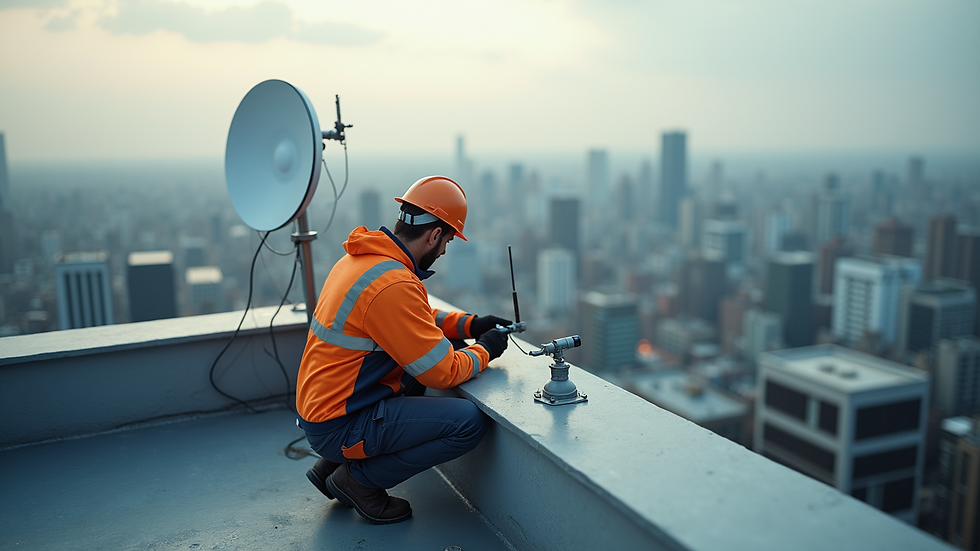
Mount the external antenna: Install it as high as possible, ideally on the roof or an exterior wall facing the nearest cell tower.
Place the booster unit indoors: Position it centrally in the area where you want improved coverage.
Install the internal antenna: Place it in a location where you need the signal most, avoiding metal objects or thick walls that can block the signal.
Adjust and test: After installation, test your signal strength in different areas and adjust antenna positions if needed.
Common Mistakes to Avoid When Choosing a Signal Booster
To ensure you get the most out of your signal booster, avoid these common pitfalls:
Ignoring carrier compatibility: Buying a booster that doesn’t support your carrier’s frequency bands will result in no improvement.
Overestimating coverage needs: Don’t buy a booster with too large a coverage area for your space, as it may cause interference.
Poor antenna placement: Incorrect placement of antennas can reduce booster effectiveness.
Not checking outside signal strength: Without a minimum outside signal, boosters won’t work.
Skipping professional advice: If unsure, consult with a professional installer or retailer.
Enhancing Your Connectivity Experience Beyond Signal Boosters
While signal boosters are effective, combining them with other strategies can further improve your connectivity:
Use Wi-Fi calling: Many phones support calls over Wi-Fi, which can be a good alternative in weak signal areas.
Upgrade your phone: Newer models often have better antennas and support more frequency bands.
Optimize your router placement: For internet connectivity, place your Wi-Fi router in a central, open location.
Choosing the perfect signal booster for you involves understanding your specific needs, environment, and budget. By following these best signal booster tips, you can enjoy clearer calls, faster data, and a more reliable connection wherever you are.
For a full assortment of signal boosters for all applications, visit https://www.surecallboosters.ca/.
By carefully evaluating your options and installing your signal booster correctly, you can transform your connectivity experience and stay connected with ease.


